Job Agenda | gmod Job Planning and Schedule System - scripts
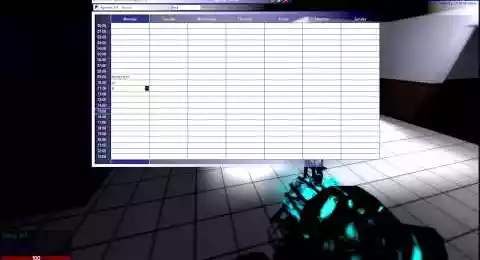
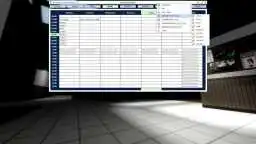
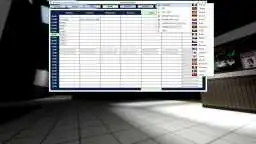
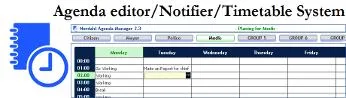
DarkRP Job Agenda Editor is a job or team scheduling system for your Gmod servers, allowing you to plan your work schedules with complete peace of mind, so that every task knows what it has to do at all times. It includes a time system that scrolls through the days of the week and the time cycle. Compatible with all dakrp. And even without.
❮
❯

Description of Job Agenda | gmod Job Planning and Schedule System
🚀 Presentation of Job Agenda Editor
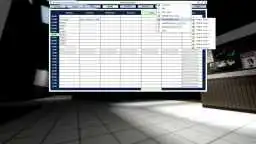
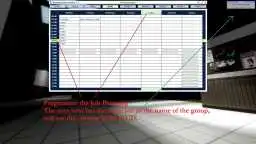
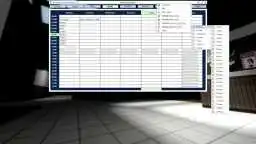
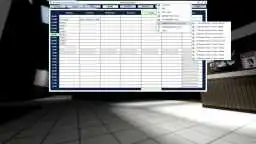
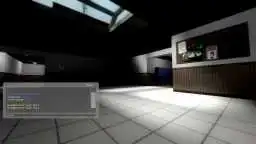
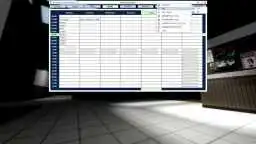
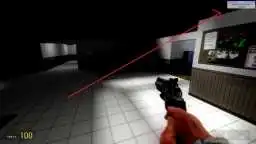
Job Agenda Editor a real-time schedule by Job DarkRP / Team - combined with my time system to give a day cycle on a server. Days and hours will scroll in a loop and work with all gamemodes, it's a system inspired by what I had already done for my gmod server. It's been rewritten to manage certain DarkRP jobs and RP school student groups, and since 2019 it's compatible with job categories, so there's no need to create a schedule for each job thanks to the latest updates. Translated into 20 languages by the community. Hours of the day and days of the week are automatically updated from Monday to Sunday. Your current schedule is displayed on a HUD in the top right-hand corner, showing the time and what's planned for your job or team at that time. So it's perfect for SchoolRP, Hogwartsrp, HogwartsRP, MilitaryRP, StarwarsRP, SCPRP, ect.
📌 Important Points
-This is not a DLC, it is a fully complete system.
-Real-time editing, no need to reboot your server.
-It is instantaneous.
-Compatible with Atmos. (My script manage automatically the cycle of day/Night effect).
-This script works without DarkRP or any gamemode, and is compatible with all.
-Compatible with ULX and all other adminaddon using the same system.
-Compatible with ServerGuard Groups Since 21 january 2017.
-Work with Categories of Jobs Since 02 April 2019.
-In version 3.4 (June 2019) it is possible to configure a agenda by default. It is also possible to make a single agenda for everyone.
-No knowledge in scripting to know how to use it.
🌶️ Features
Customization:
-Editing of the name of plans on the timetable (jobs and/or groups).
-Ability to create multiple plans per group.
-Working together on the same timetable.
-Cycle of hours, minutes, secondes and days.
-Option to show/hide the 3D model.
-Hide Groups Useless.
⚙️ Management Interface
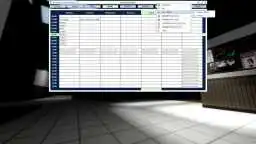
-Management panel.
-The Panel is already translated into 20 languages (Bulgarian, Czech, English, Estonian, Finnish, French, German, Greek, Italian, Japanese, Korean, Latvian, Norwegian, Polish, Portuguese, Romanian, Russian, Spanish, Swedish, Turkish).
-Disable or Enable F1 to Open the Planning.
⏰ Time
-[Automated] Week cycle from Monday to Sunday.
-Horraire cycle.
-Set the Day hour range (Choose hour the day start and finish).
⚙️ Option
-Planning - Option - [Admin]Set the days with hours.
-Planning - Option - HUD in the corner of the current activity.
-Planning - Option - [Admin]Select number of plans you want on your server.
-Planning - Option - [Admin]Set the names of plans - can be a group or a job.
-Planning - Option - HUD draw (ON / OFF).
-Planning - Option - [Admin]Give name of planning can be a Group or a Job.
-Planning - Option - Language Selection (Bulgarian, Czech, English, Estonian, Finnish, French, German, Greek, Italian, Japanese, Korean, Latvian, Norwegian, Polish, Portuguese, Romanian, Russian, Spanish, Swedish, Turkish).
-Planning - Option - Time format (AM/PM or 24 hours format).
-Planning - Option - [Admin]Virtual Conversion Time.
💾 Persistence
-Real-time backup that prevents data loss in case of a crash.
⚙️ Console COMMAND
-Tired of picking up commands here? Then use this new script(Scripts Command Center) All commands is pre configured in one unique customizable interface.
-To open, read or manage the planning and the set the time format option : planning.
-To stop the time : planning_time_stop.
-To play the time : planning_time_play.
📌 Chat COMMAND
-Open the Panel Youtube Music System: !planning.
✅ Compatible
-Compatible with ULX Admin Groups Since 30 august 2015.
-Compatible with ServerGuard Groups Since 21 january 2017.
-Tired of typing commands for night and day? You don't have to, it is automatic. My script is compatible with Atmos on Gmod can be find in the workshop (weather, day and night addon).
WIKI & F.A.Q
☰ 1. Installation of Job Agenda | gmod Job Planning and Schedule System
Path: garrysmod/addons/nordahl_job_agenda_editor
☰ 2. Where can I find resources and materials in nordahl_job_agenda_editor?
- The AddWorkshop function is automatically added to the script server file and can be deactivated from the configuration file. : resource.AddWorkshop( 2513515661 )
- To add gmod workshop resources to your collection : Job Agenda | gmod Job Planning and Schedule System [Content Only] | Gmod Workshop
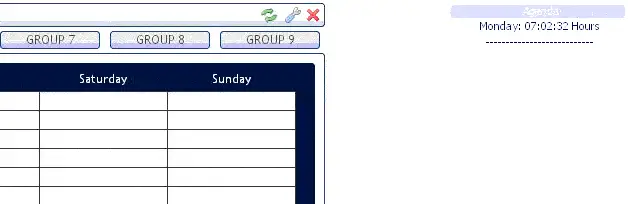
☰ 3. How to disable the HUD?
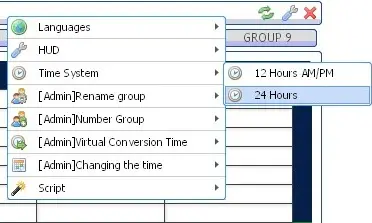
☰ 4. I would like to change the time format 24h by 12AM/PM
☰ 5. How to create an Agenda for a job?
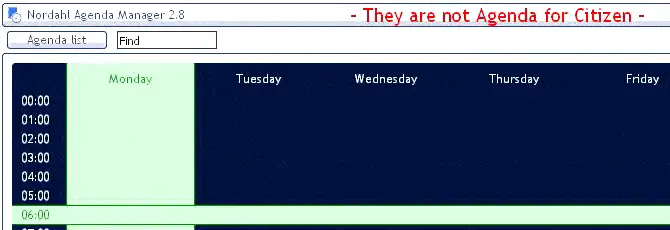
☰ 6. Can I use a command in chat to open the Jobs planning?
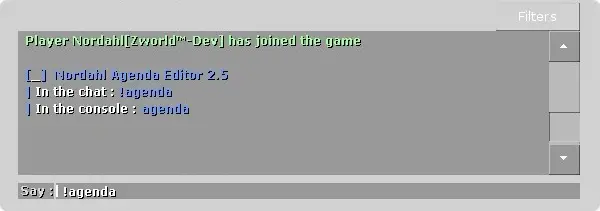
☰ 7. You say that there is a system of cycle days, what is it?
☰ 8. Is it possible to speed up or slow down the cycle of day?
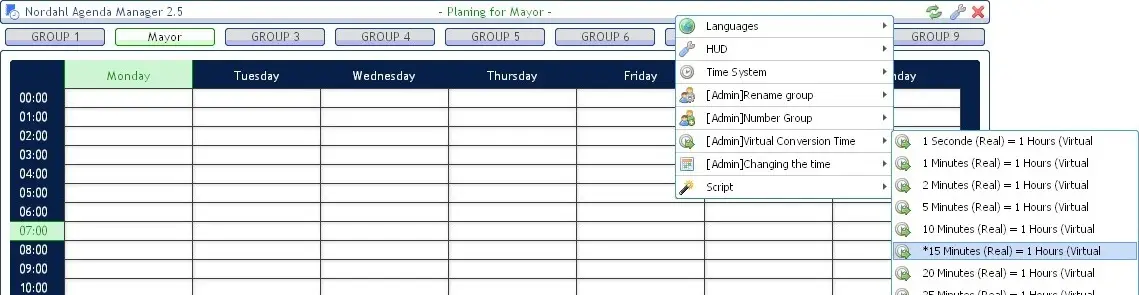
☰ 9. We have multiple admins can we all write at the same time in the schedule?
☰ 10. Players can see the planning without the change?
☰ 11. Is it compatible with the SchoolRP?
☰ 12. Where to find the configuration File?
nordahl_agenda_editor_darkrpjob/lua/autorun/nordahl_schoolrp_planning_config.lua☰ 13. Turn off the alarm.
Enable_Alarm=1Enable_Alarm=1 (Notification sonor activé)
Enable_Alarm=0 (Notification sonor désactivé)
☰ 14. I would like that the new days don't begin at 00:00 but at 5: 00 in the morning.
Day_Hour_StarDay_Hour_Star=0 (The new day begins at 00:00)
Day_Hour_Star=5 (The new day will start at 05:00 AM (du matin))
☰ 15. I would like the day ends at 17:00 not midnight.
Day_Hour_End☰ 16. We have changed the ringtone in the configuration file Alarmsound=ambient/alarms/alarm1.wav but we hear the new ringtone.
☰ 17. Everyone can see the panel, I want it to be only admins, is it possible?
☰ 18. Is there a console command to change the time and day of your Agenda?
Sinon en commande pour un bot:
majtemps "heure" "jour"Les heures doit être un chiffre, les jours aussi. Par exemple 5=5 heure,1 = Lundi.
☰ 19. How to have a single agenda for all jobs?
In the configuration file : nordahl_schoolrp_planning_config.lua
To do this, you must define the following variables.
config.default_agenda="test1"

config.one_agenda_for_all=1


-- default_agenda : Allows you to set a default agendaon your server when a user logs on. To do this, insert the name of the agenda you have created. default_agenda="" To disable it.

-- one_agenda_for_all : Allows you to configure the default job schedule as one and the same schedule for all jobs. 1=ON | 0=OFF
☰ 20. Is there a tutorial to understand and modify the basic HUD?

1636549565 ago | Purchased: 2021-11-10

Sinon le script fonctionne parfaitement bien!
1599598085 ago | Purchased: 2020-04-11

Je recommande vraiment pour toute personne cherchant à avoir un agenda changeant pour quelconques usages.
Meme le systéme d'heure est trés utile. De plus l'atmos fonctionne parfaitement avec.
Super !
1587241826 ago | Purchased: 2020-04-14

Creator: Norda Scripts
| Sales | 104 |
| Published | 11 years |
| Last update | |
| Version | version 4 |
| DRM | No DRM |
| Categories | Gmod addons |
| Requirements | Garry's Mod Server |
| Languages | 🇬🇧 🇫🇷 🇩🇪 🇬🇪 🇮🇹 🇯🇵 🇰🇷 🇳🇴 🇷🇺 🇪🇸 🇸🇪 |
| Availability | Instant access |
| Delivery | Digital download |
| Refund | Before download |
| Admin DarkRP VGUI HUD Gameplay Management | |